
Where your attendees meet, before, during and after
AttendIn is a social event app for attendees on iOS and Android. Each attendee gets a feed of events, community posts and updates from people they have connected with, with organisers they follow ranked higher. They share the events they are going to on Facebook, LinkedIn, X, Instagram and their communities, and start pods, private group chats with friends they have met. Once checked in, they go live to see who is in the room and say hello. Their own privacy settings decide who can find them and what others see.
Download AttendIn on iOS or Android.


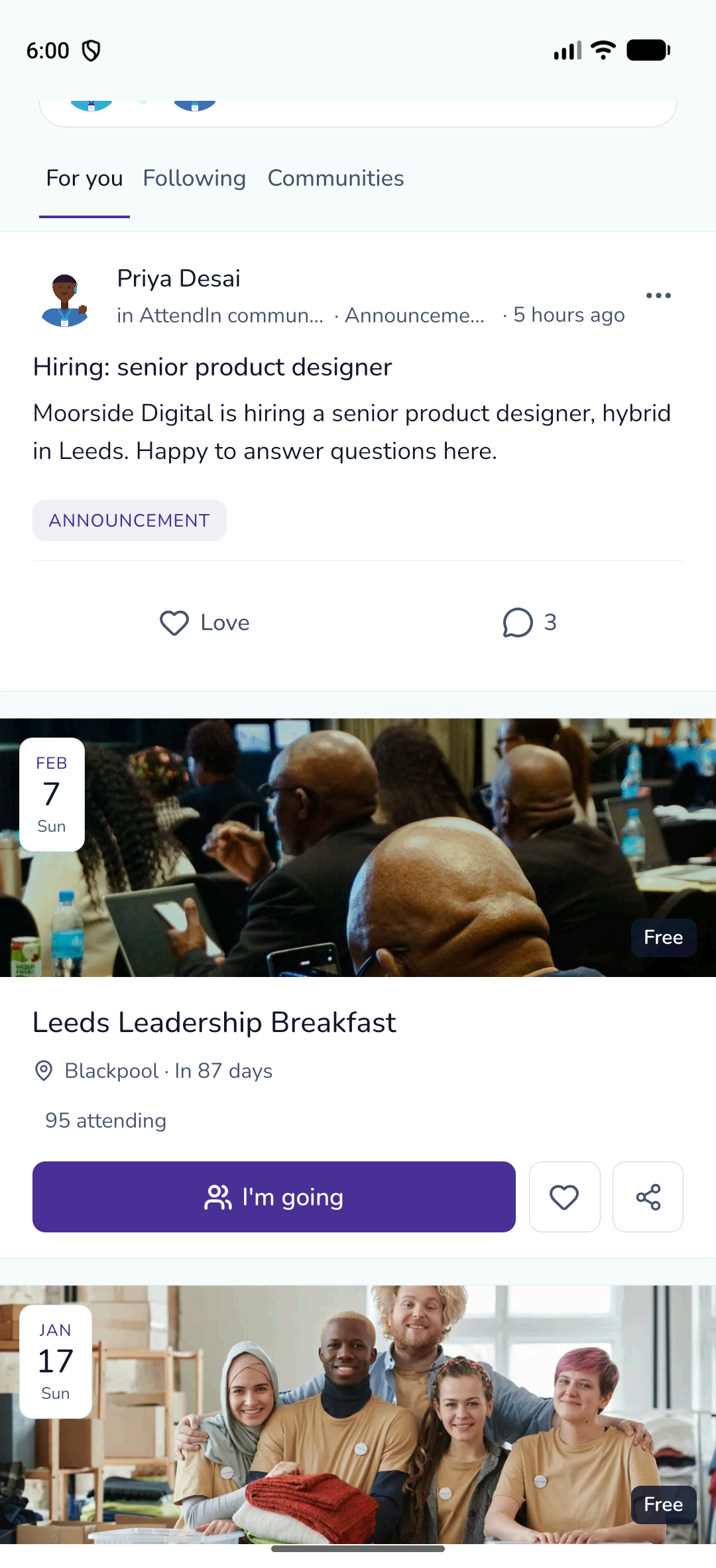
From the door to the right conversation
These screens use demonstration attendees in the native Android app.
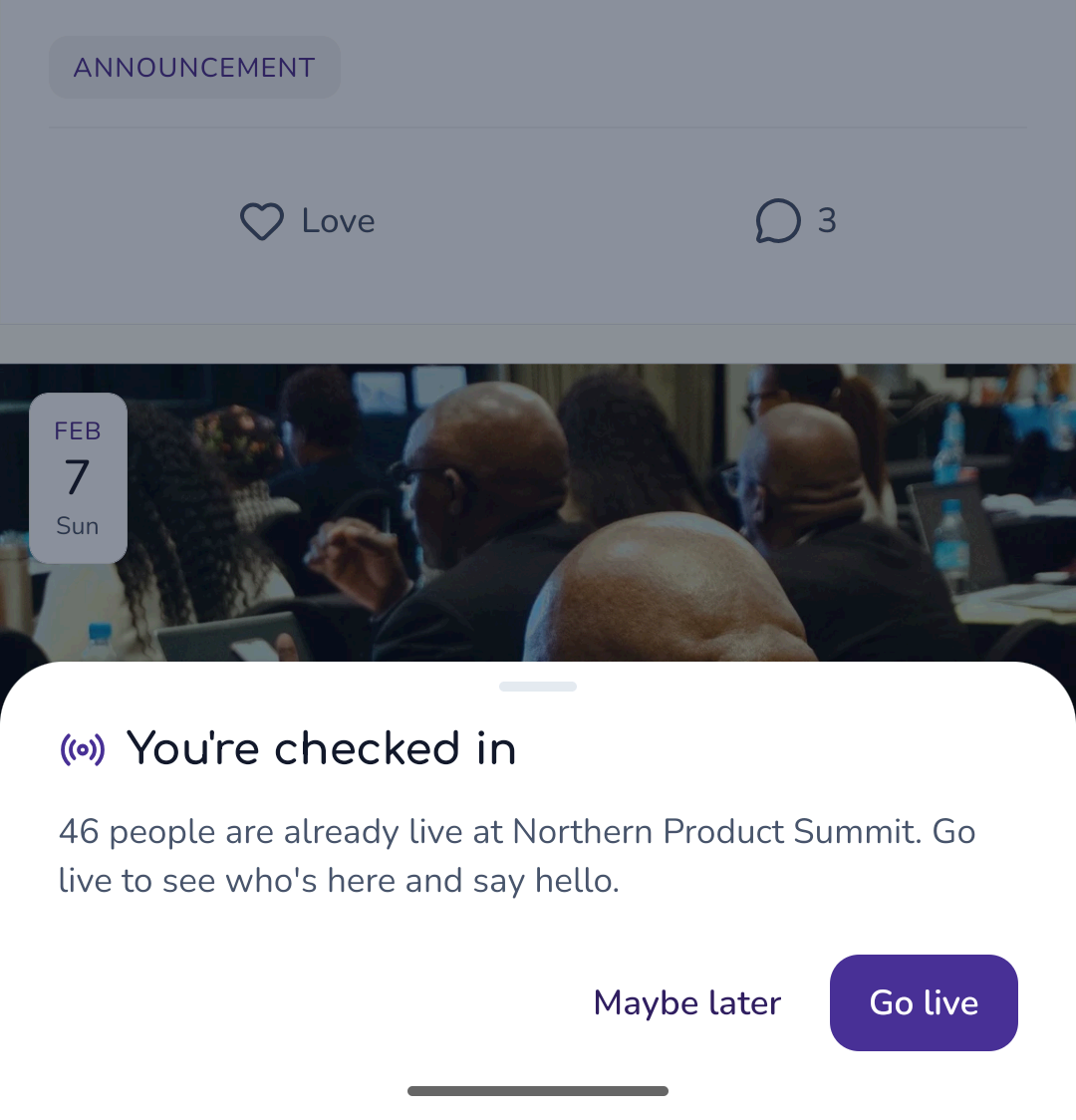
Checked in, then live
When an attendee is checked in at the door, the app tells them how many people are already live and invites them to join.
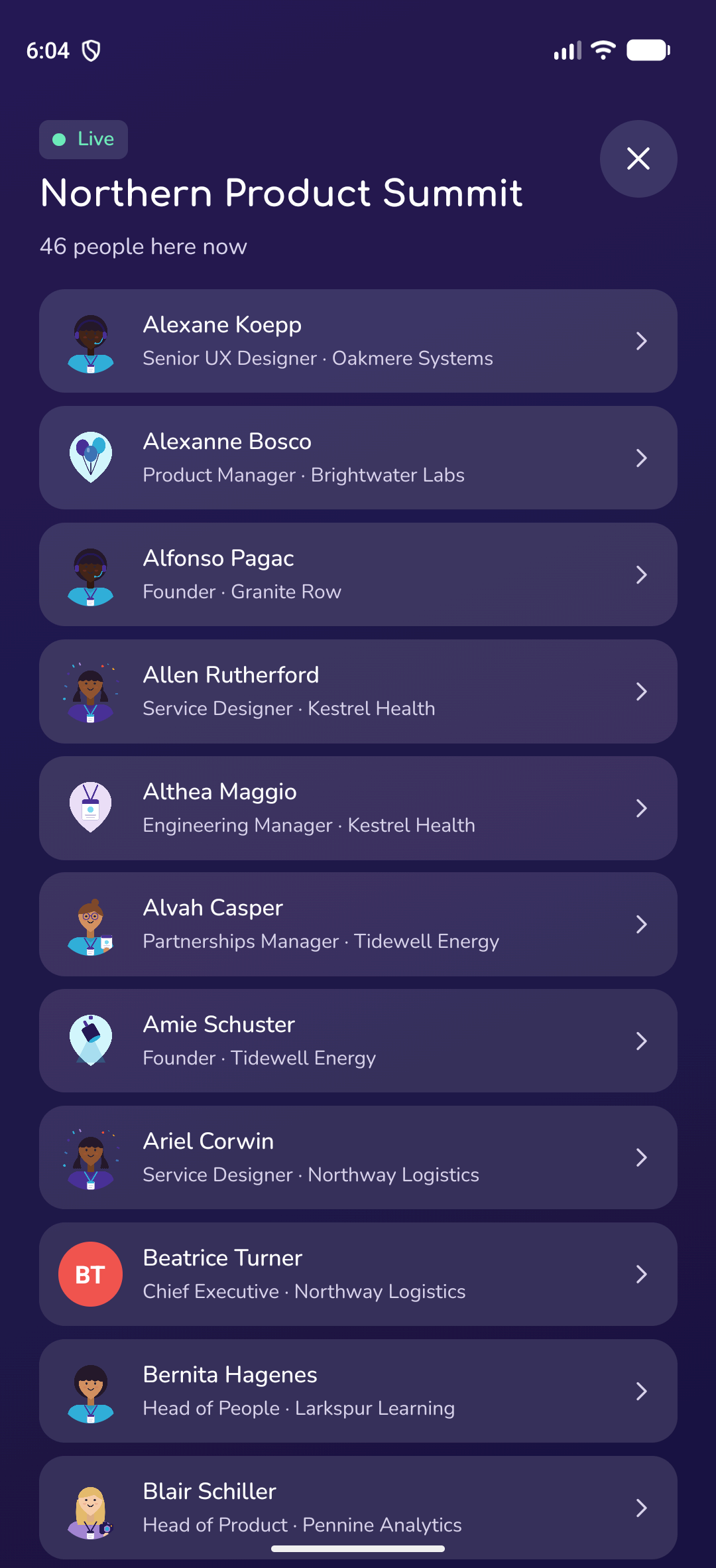
See who is here now
Live mode lists the people at the event who have chosen to be seen, with their job title and company, so attendees know who to look for.
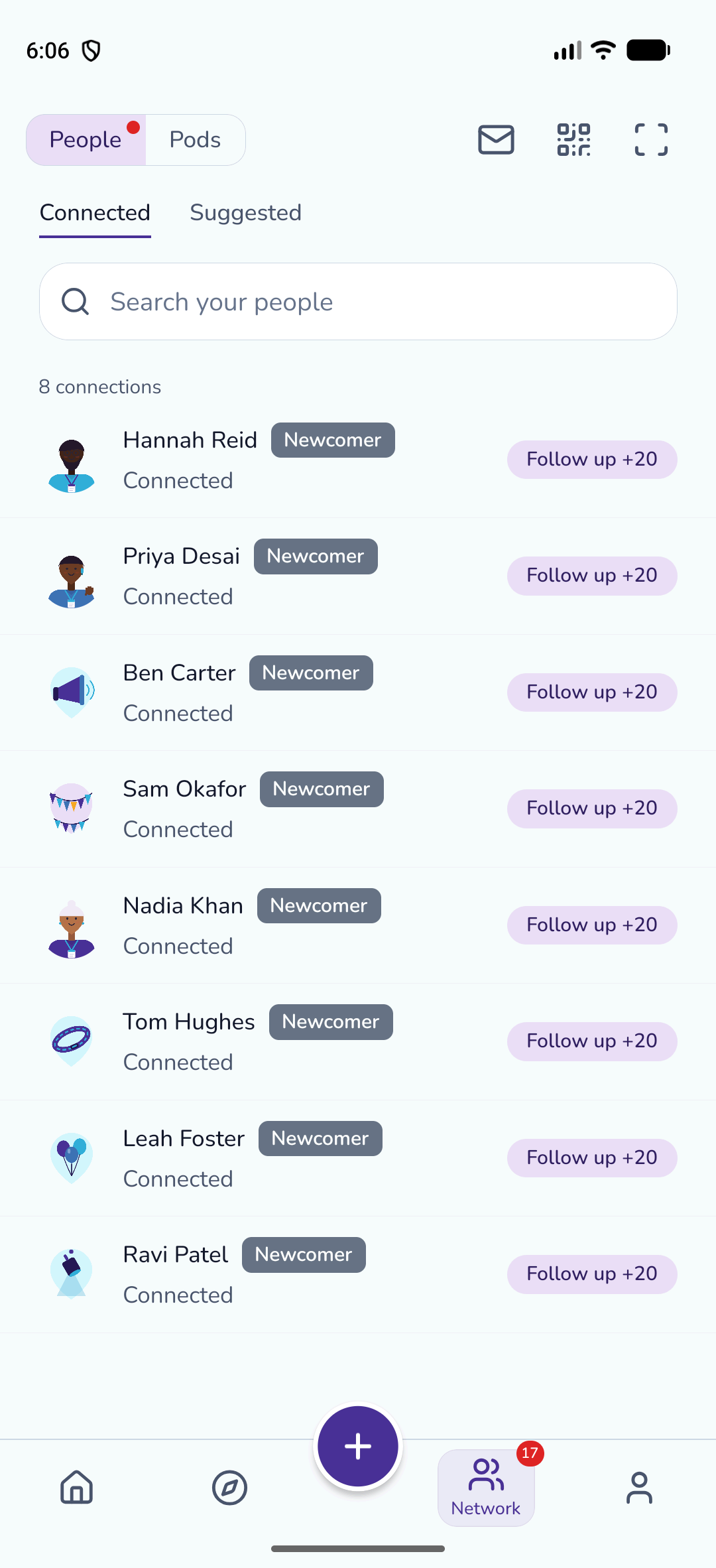
Keep every connection
Connections made at events stay in the attendee’s network, with follow-up prompts so the conversation does not stop when the event does.
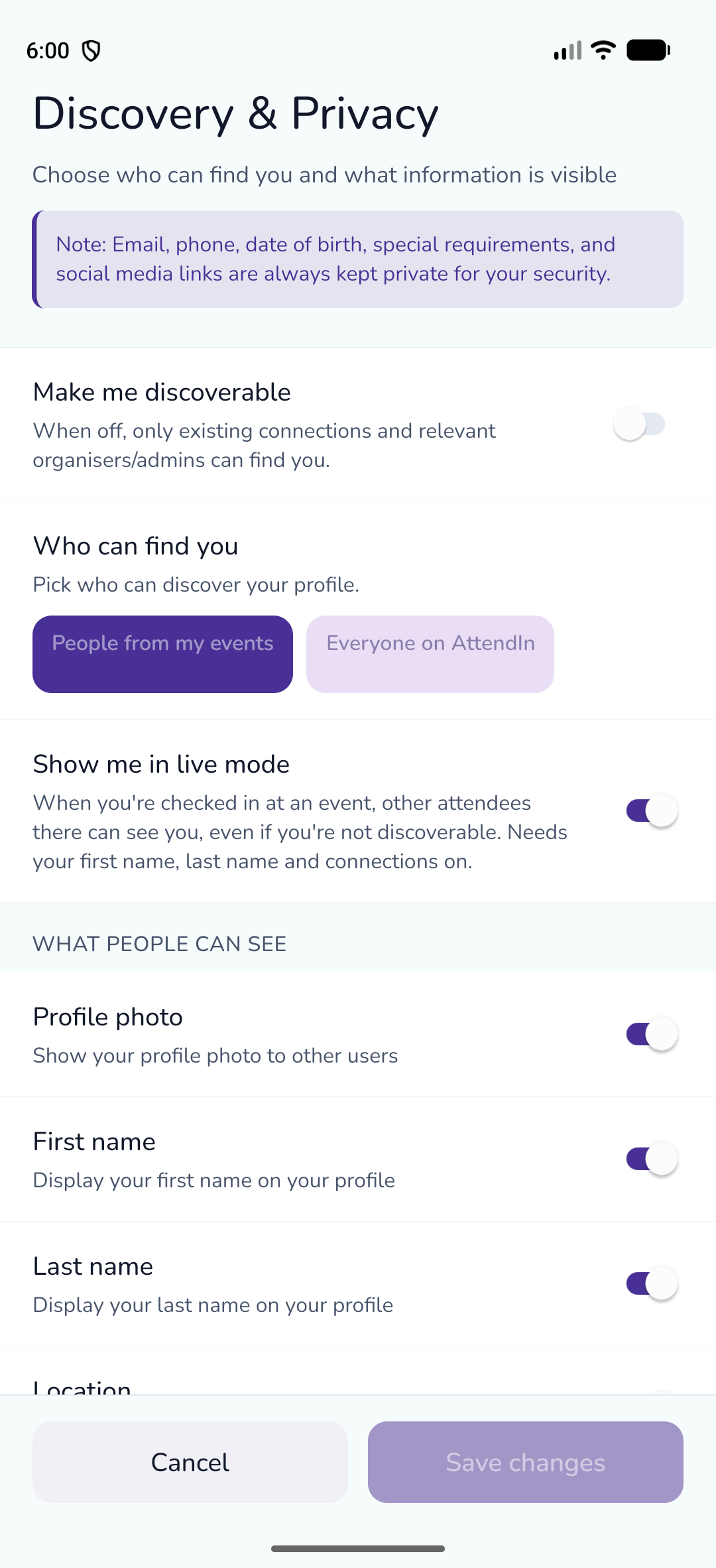
Attendees decide what is shared
Each attendee chooses whether they can be discovered, who can find them, whether they appear in live mode and which profile details others can see.
Why organisers choose it
- 01
A reason to open the app
The feed brings together events, communities and connections, so attendees come back between events.
- 02
Attendees spread the word
Every attendee who shares that they are going puts your event in front of their own network.
- 03
Easier hellos on the day
Live mode turns a room of strangers into a list of people worth meeting.
- 04
Privacy by choice
Every attendee controls who can find them and what they show, field by field.
Social event app in AttendIn
Home feed with For you, Following and Communities tabs
Posts from communities attendees have joined
Posts, photos, polls and questions from attendees and their connections
Updates from organisers attendees follow, ranked higher in the feed
Love and comments on posts
Share events to Facebook, LinkedIn, X, Instagram and communities, or with the phone’s share sheet
Rich link previews when an event is shared
Pods: private group chats attendees start with their connections
Live mode showing who is checked in at the event
Connections with follow-up prompts
Discoverability settings: on or off, and who can find you
Field-by-field control over which profile details others can see
Email, phone number, date of birth and social links are always private
Social event app: frequently asked questions
Live mode shows attendees who else is checked in at the event right now, with their job title and company. Only people who have chosen to appear in live mode are shown.
Once their ticket is checked in at the door, the AttendIn app shows how many people are already live and offers to go live.
Events they are going to or may like, posts from communities they have joined, and posts from themselves and people they have connected with. Content from organisers they follow is ranked higher.
Yes. Attendees share public events to Facebook, LinkedIn, X, Instagram or their AttendIn communities, copy a short link, or use their phone’s share sheet in the app. Each shared link is tagged, so you can see which platforms brought people to your event page.
Yes. Each attendee chooses whether they can be discovered, whether that is by people from their events or by everyone, whether they appear in live mode, and which profile details are visible. Email, phone number, date of birth and social links are never shown.
Pods are private group chats that attendees start with friends they have connected with. They are separate from the feed, so the conversation stays within the group.
Works well with
Popular with
Run your next event on AttendIn
Ticketing, registration, networking and check-in in one place. Start free and upgrade when you're ready.
Free to start
Your first three events are on us. No credit card required.
Clear, simple fees
One platform fee per paid ticket, plus Stripe card processing with no markup. Free tickets pay nothing.
Cancel any time
Monthly plans stop renewing as soon as you cancel, with no further charge.
Free forever plan · No credit card required