
Sell every ticket, your way
AttendIn is an event ticketing platform with secure Stripe payments. You create free or paid ticket types, set allocations, offer bundles and promo codes, and open a waitlist when an event sells out. Attendees pay in a few taps and add their ticket to Apple Wallet or Google Wallet, and you can issue refunds from the same place.

Fill the room without filling your inbox
Reward early bookers, price for groups and keep hold of everyone who missed out.
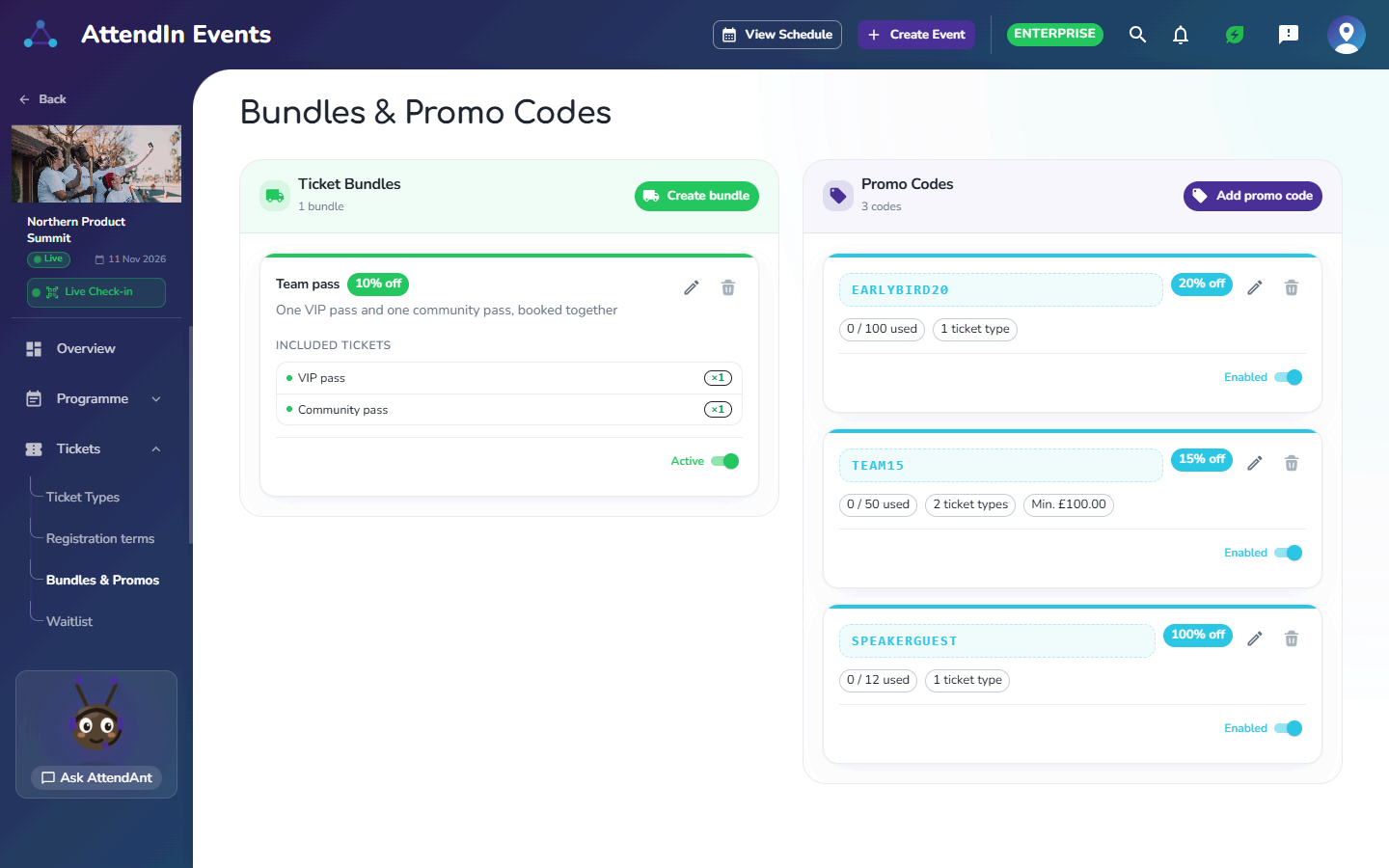
Bundles and promo codes
Bundle tickets that are booked together at a discount. Create percentage promo codes with a usage limit, the ticket types they apply to and an optional minimum spend.
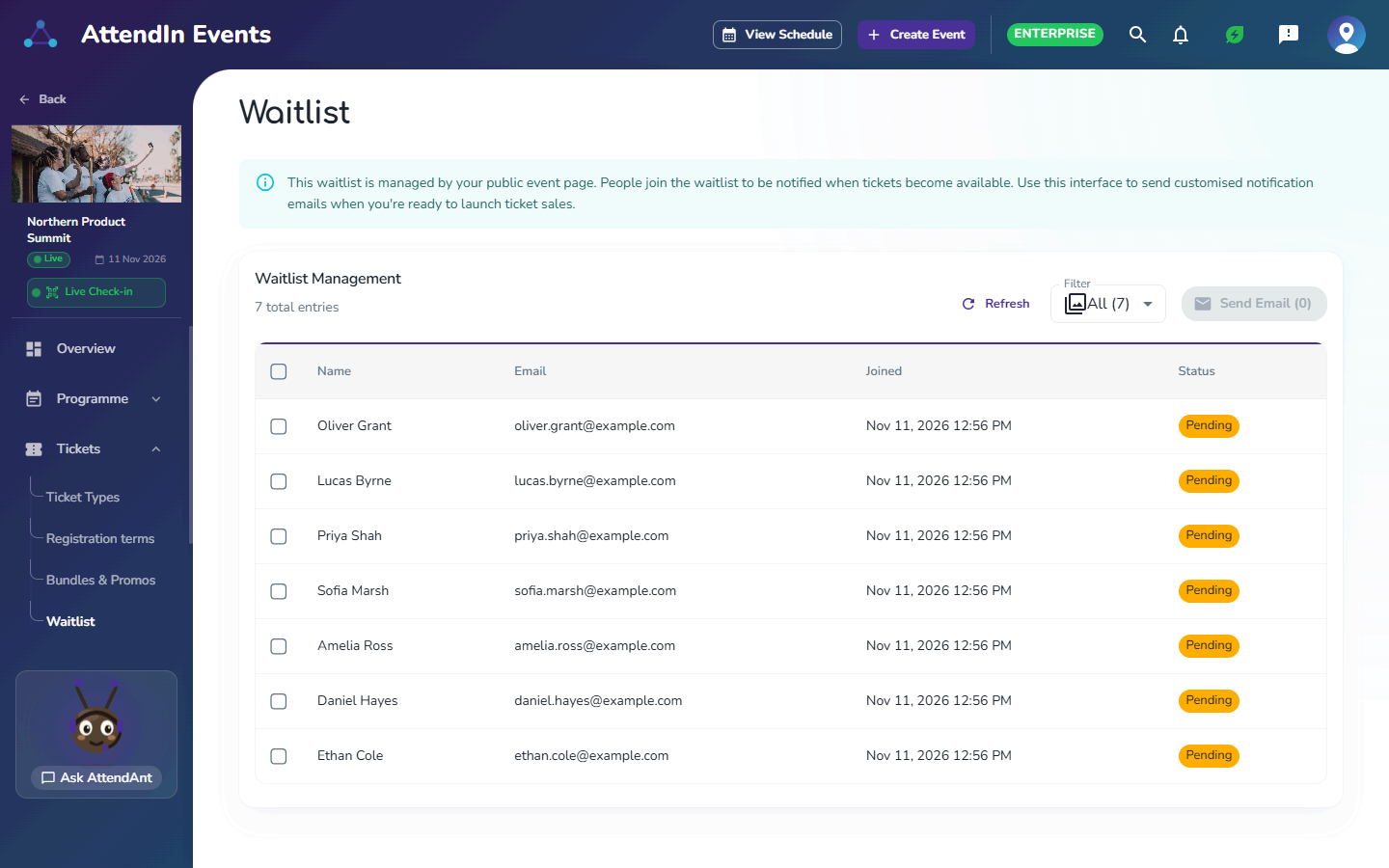
A waitlist that sells out twice
People join the waitlist from your public event page. When you release more tickets, you choose who to email and send them a personalised notification.
Why organisers choose it
- 01
Price for every audience
Early bird, member, group and free tickets, each with its own allocation.
- 02
Never miss demand
Waitlists capture interest when you sell out, so you can release more places.
- 03
Payments you can trust
Stripe handles card payments securely, and refunds are a click away.
Ticketing and payments in AttendIn
Free and paid ticket types
Ticket allocations to control capacity
Bundles of tickets booked together at a discount
Percentage promo codes with usage limits, ticket types and minimum spend
Secure card payments with Stripe
Refunds from the organiser dashboard
Waitlists for sold-out events, with personalised release emails
Apple Wallet and Google Wallet passes
Ticket sales reporting
Ticketing and payments: frequently asked questions
AttendIn takes card payments through Stripe, so attendees pay securely and you can issue refunds from your dashboard.
Yes. Create percentage promo codes, limit how many times each can be used, choose the ticket types they apply to and set a minimum spend if you need one. Bundles give a discount when tickets are booked together.
Turn on a waitlist. Attendees join it from your event page, and when places become available you email the people you choose to let them know.
Yes. Tickets live in the AttendIn mobile app and can be added to Apple Wallet or Google Wallet.
Yes. Free ticket types work exactly like paid ones, including allocations, waitlists and QR check-in.
Works well with
Popular with
Run your next event on AttendIn
Ticketing, registration, networking and check-in in one place. Start free and upgrade when you're ready.
Free to start
Your first three events are on us. No credit card required.
Clear, simple fees
One platform fee per paid ticket, plus Stripe card processing with no markup. Free tickets pay nothing.
Cancel any time
Monthly plans stop renewing as soon as you cancel, with no further charge.
Free forever plan · No credit card required